

- Successful payment rate: The percentage of payments completed successfully (pending payments are not counted as successful).
- Successful payments: The total number of payments that have been successfully made.
- Failed payments: The total number of payments that failed to process.
- Canceled payments: The total number of payments that were canceled before being sent.
- Remaining payments: The total number of payments that are scheduled but haven’t been processed yet.
- Total balance: The combined live balance of the selected distribution account(s), broken down by asset.
- Total disbursed: The total amount of funds successfully sent to receivers by an organization over time.
- Recipients: The total number of unique individuals you have created payments for.
- Recipient wallets: The wallets your recipients receive funds into. This usually equals the number of recipients, but a recipient can hold multiple (one wallet per wallet provider they register with).
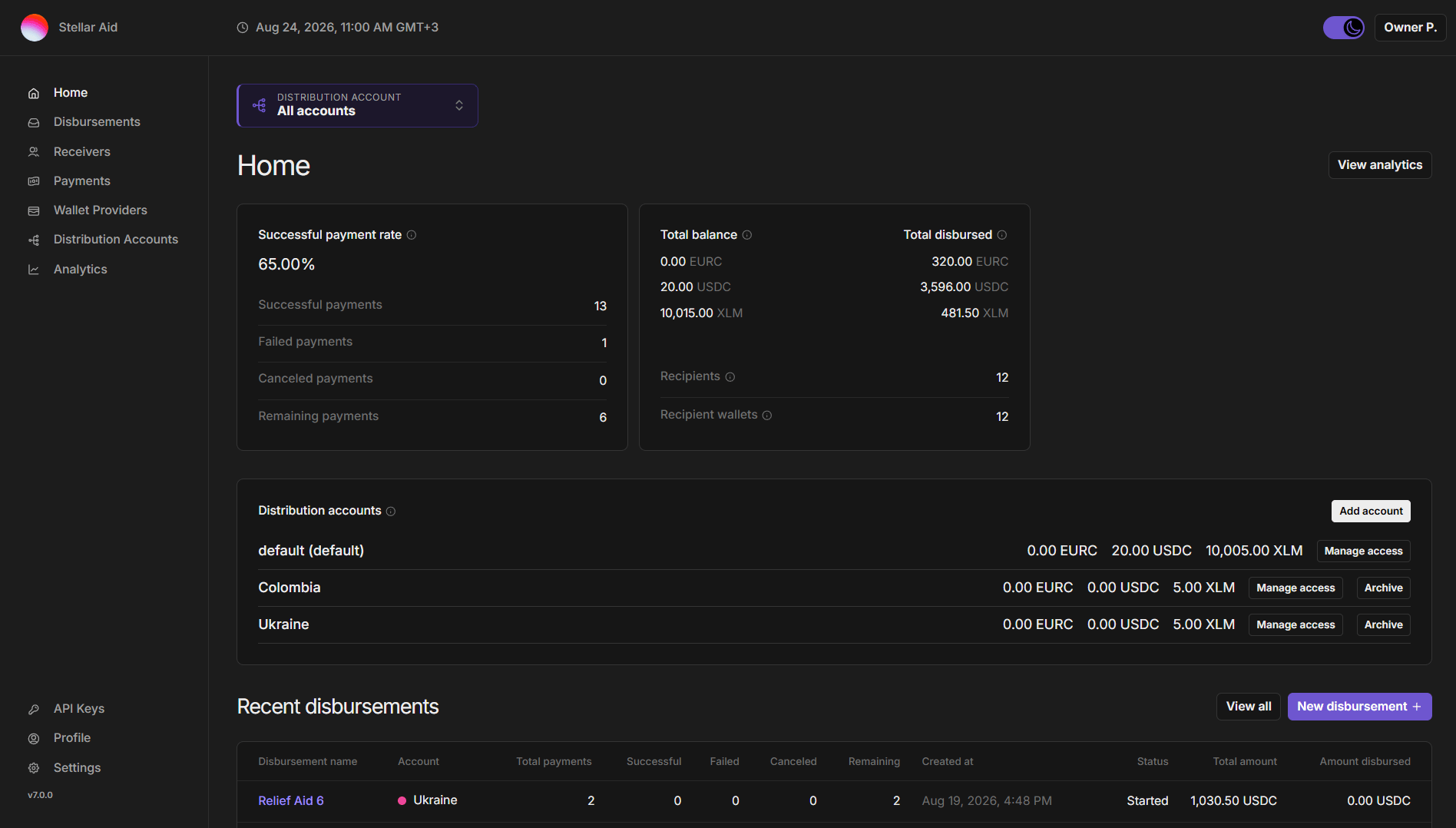
- Home: This is the main dashboard that provides an overview of your organization’s activities.
- Disbursements: This section shows you the history and details of all disbursements.
- Receivers: Lists of individuals who are set to receive disbursements.
- Payments: Here you can find the history and granular details of all payments.
- Wallet Providers: The wallet applications your recipients can receive funds into (e.g. Beans App).
- Distribution Accounts: The accounts your organization sends funds from, with their balances and trustlines.
- Analytics: Data visualization tools to help you analyze your disbursements and payments.
- API Keys: Create and manage keys for programmatic access to the SDP. Only visible to the Owner and Developer roles.
- Profile: Manage your personal and organizational information.
- Settings: Adjust the settings of the SDP according to your preference.
- Disbursement Name: The unique name given by your organization to the disbursement operation.
- Account: the distribution account from which the disbursement was made. Shown only when ‘All accounts’ is selected and your organization has more than one account.
- Total payments: Total number of payments within the specific disbursement.
- Successful: Number of payments that have been successfully sent from the SDP Distribution Wallet to receiver wallets so far.
- Failed: Number of payments that failed to process.
- Canceled: Number of payments that were canceled before being sent.
- Remaining: Number of payments that are scheduled but haven’t been processed yet, usually because the receiver has not yet set up a wallet.
- Created at: The time and date the disbursement was created, displayed in your local timezone.
- Status: The current status of the disbursement.
- Total amount: The total value of the disbursement in the appropriate asset.
- Amount disbursed: The amount of the disbursement that has been successfully paid out so far.