

User experience
To start, we’ll have our user create an account. In BasicPay, the signup page will display a randomized public and secret keypair that the user can select with the option to choose a new set if preferred.Since we are building a non-custodial application, the encrypted secret key will only ever live in the browser. It will never be shared with a server or anybody else.
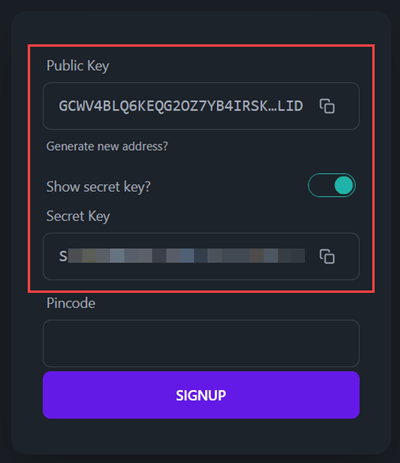
localStorage (this is handled by the @stellar/typescript-wallet-sdk-km). The user will need to remember their pincode for future logins and to submit transactions.
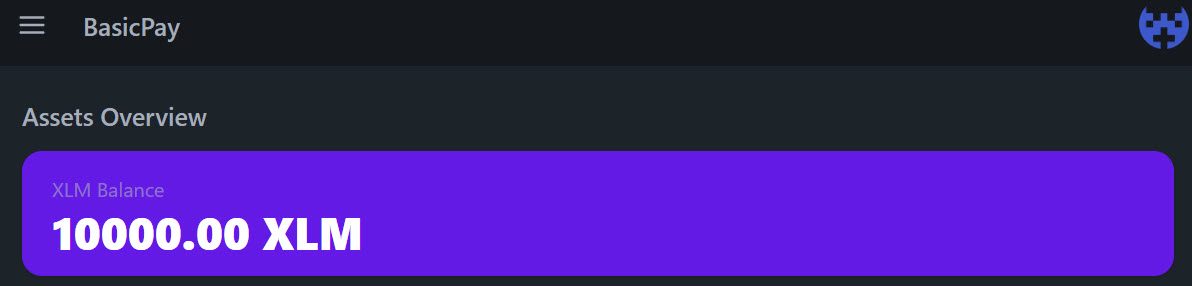
With BasicPay, when the user clicks the “Signup” button, they will be asked to confirm their pincode. When they do, the create_account operation is triggered, and the user’s account is automatically funded with XLM for the minimum balance (starting with 10,000 XLM).
Code implementation
We will create a Sveltestore to interact with our user’s randomly generated keypair. The store will take advantage of @stellar/typescript-wallet-sdk-km to encrypt/decrypt the keypair, as well as sign transactions.
Creating the walletStore store
Our walletStore will make a few things possible throughout our application.
- We can “register” a keypair, which encrypts the keypair, stores it in the browser’s storage, and keeps track of that keypair’s
keyId. - We can “sign” transactions by providing the pincode to decrypt the keypair.
- We can “confirm” the pincode is valid for the stored keypair (or that it matches for signups).
/src/lib/stores/walletStore.js
Creating the account on the Stellar network
After we’ve registered the user, we need to fund the account on the Stellar network. As discussed previously, there are multiple ways to accomplish this task, but we are using Friendbot to ensure the user has some Testnet XLM to experiment with./src/lib/stellar/horizonQueries.js
Using the walletStore store
Our walletStore is used in a ton of places in our application, especially in the confirmation modal when asking a user to input their pincode. Read on to see how we’ve done that.