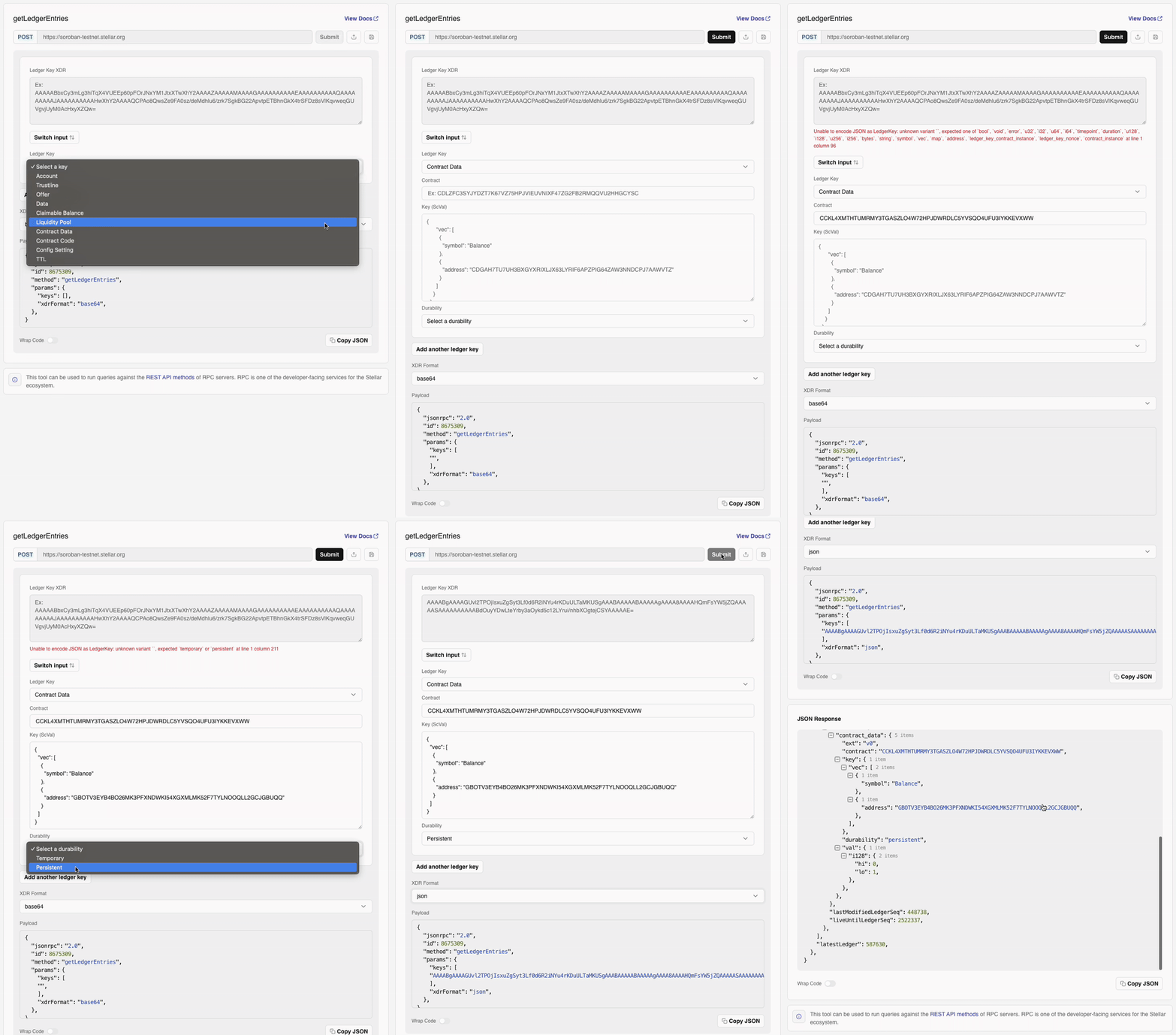
simulateTransaction.
To fetch contract wasm byte-code, use the ContractCode ledger entry key.
Params (2)
string[]
required
Array containing the keys of the ledger entries you wish to retrieve. (an array of serialized base64 strings)An array of LedgerKeys. The maximum number of ledger keys accepted is 200.
string
Lets the user choose the format in which the response should be returned - either as unpacked JSON or as base64-encoded XDR strings. Note that you should not rely on any schema for the JSON, as it will change when the underlying XDR changes.Specifies whether XDR should be encoded as Base64 (default or ‘base64’) or JSON (‘json’).
Result
(getLedgerEntriesResult)number
required
The sequence number of the latest ledger known to Stellar RPC at the time it handled the request.
object[]
Array of objects containing all found ledger entries
Examples
- Retrieve a Contract's Counter Entry for an Address
- Retrieve a Token's Balance Entry for Contract
- Retrieve Multiple Ledger Entries from Different Contracts.
Example request to the Result
getNetwork method for a Counter(Address) ledger entry.RequestBuilding ledger keys
The Stellar ledger is, on some level, essentially a key-value store. The keys are instances ofLedgerKey and the values are instances of LedgerEntry. An interesting product of the store’s internal design is that the key is a subset of the entry: we’ll see more of this later.
The getLedgerEntries method returns the “values” (or “entries”) for a given set of “keys”. Ledger keys come in a lot of forms, and we’ll go over the commonly used ones on this page alongside tutorials on how to build and use them.
Types of LedgerKeys
The source of truth should always be the XDR defined in the protocol. LedgerKeys are a union type defined in Stellar-ledger-entries.x. There are 10 different forms a ledger key can take:
- Account: holistically defines a Stellar account, including its balance, signers, etc. (see Accounts)
- Trustline: defines a balance line to a non-native asset issued on the network (see
changeTrustOp) - Offer: defines an offer made on the Stellar DEX (see Liquidity on Stellar)
- Account Data: defines key-value data entries attached to an account (see
manageDataOp) - Claimable Balance: defines a balance that may or may not actively be claimable (see Claimable Balances)
- Liquidity Pool: defines the configuration of a native constant liquidity pool between two assets (see Liquidity on Stellar)
- Contract Data: defines a piece of data being stored in a contract under a key
- Contract Code: defines the Wasm bytecode of a contract
- Config Setting: defines the currently active network configuration
- TTL: defines the time-to-live of an associated contract data or code entry
Accounts
To fetch an account, all you need is its public key:curl if you pass "xdrFormat": "json" as an additional parameter to getLedgerEntries) and see all of the possible fields. You can also dig into them in code, of course:
Trustlines
A trustline is a balance entry for any non-native asset (such as Circle’s USDC). To fetch one, you need the trustline owner (a public key like for Accounts) and the asset in question:Contract Data
Suppose we’ve deployed theincrement example contract and want to find out what value is stored in the COUNTER ledger key. To build the key:
Contract Wasm Code
To understand this, we need a handle on how smart contract deployment works:- When you deploy a contract, first the code is “installed” (i.e. uploaded onto the blockchain), creating a
LedgerEntrywith the Wasm byte-code that can be uniquely identified by its hash (that is, the hash of the uploaded code itself). - Then, when a contract instance is “instantiated,” we create a
LedgerEntrywith a reference to that code’s hash. This means many contracts can point to the same Wasm code.
- First, we look up the contract itself, to see which code hash it is referencing.
- Then, we can look up the raw Wasm byte-code using that hash.
1. Find the ledger key for the contract instance
getLedgerEntries, see below), we can extract the Wasm hash:
2. Request the ContractCode using the retrieved LedgerKey
Now take the xdr field from the previous response’s result object, and create a LedgerKey from the hash contained inside.
LedgerKey that correspond to the Wasm byte-code that has been deployed under the contractId we started out with so very long ago. This LedgerKey can be used in a final request to getLedgerEntries. In that response we will get a LedgerEntryData corresponding to a ContractCodeEntry which will contain the actual, deployed, real-life contract byte-code:
Actually fetching the ledger entry data
Once we’ve learned to build and parse these (which we’ve done above at length), the process for actually fetching them is always identical. If you know the type of key you fetched, you apply the accessor method accordingly once you’ve received them from thegetLedgerEntries method:
LedgerKey that correspond to the Wasm byte-code that has been deployed under the ContractId we started out with so very long ago. This LedgerKey can be used in a final request to the Stellar-RPC endpoint.
LedgerEntryData structure precisely. For example, the AccountEntry is in Stellar-ledger-entries.x#L190 and you can use .seqNum() to access its current sequence number, as we’ve shown. In JavaScript, you can see the appropriate methods in the type definition.
Viewing and understanding XDR
If you don’t want to parse the XDR out programmatically, you can also leverage both the Stellar CLI and the Stellar Lab to get a human-readable view of ledger keys and entries. For example,Using the Lab
ThegetLedgerEntries method allows you to read live ledger data directly from the network. This includes entries such as accounts, trustlines, offers, data, claimable balances, liquidity pools, and more.
It’s especially useful for inspecting a contract’s current state, deployed code, or any other ledger entry tied to your application. This method is often the primary way to retrieve contract-related data that may not surface through events or simulateTransaction.
To retrieve a contract’s WASM byte-code, use the ContractCode ledger entry key.
👉 View getLedgerEntries on the Lab
Using the Stellar XDR to JSON library, the getLedgerEntries method can dynamically generate input fields based on XDR-encoded data. For example, consider the following XDR string:
AAAABgAAAAHMA/50/Q+w3Ni8UXWm/trxFBfAfl6De5kFttaMT0/ACwAAABAAAAABAAAAAgAAAA8AAAAHQ291bnRlcgAAAAASAAAAAAAAAAAg4dbAxsGAGICfBG3iT2cKGYQ6hK4sJWzZ6or1C5v6GAAAAAE=
Try it in the Lab
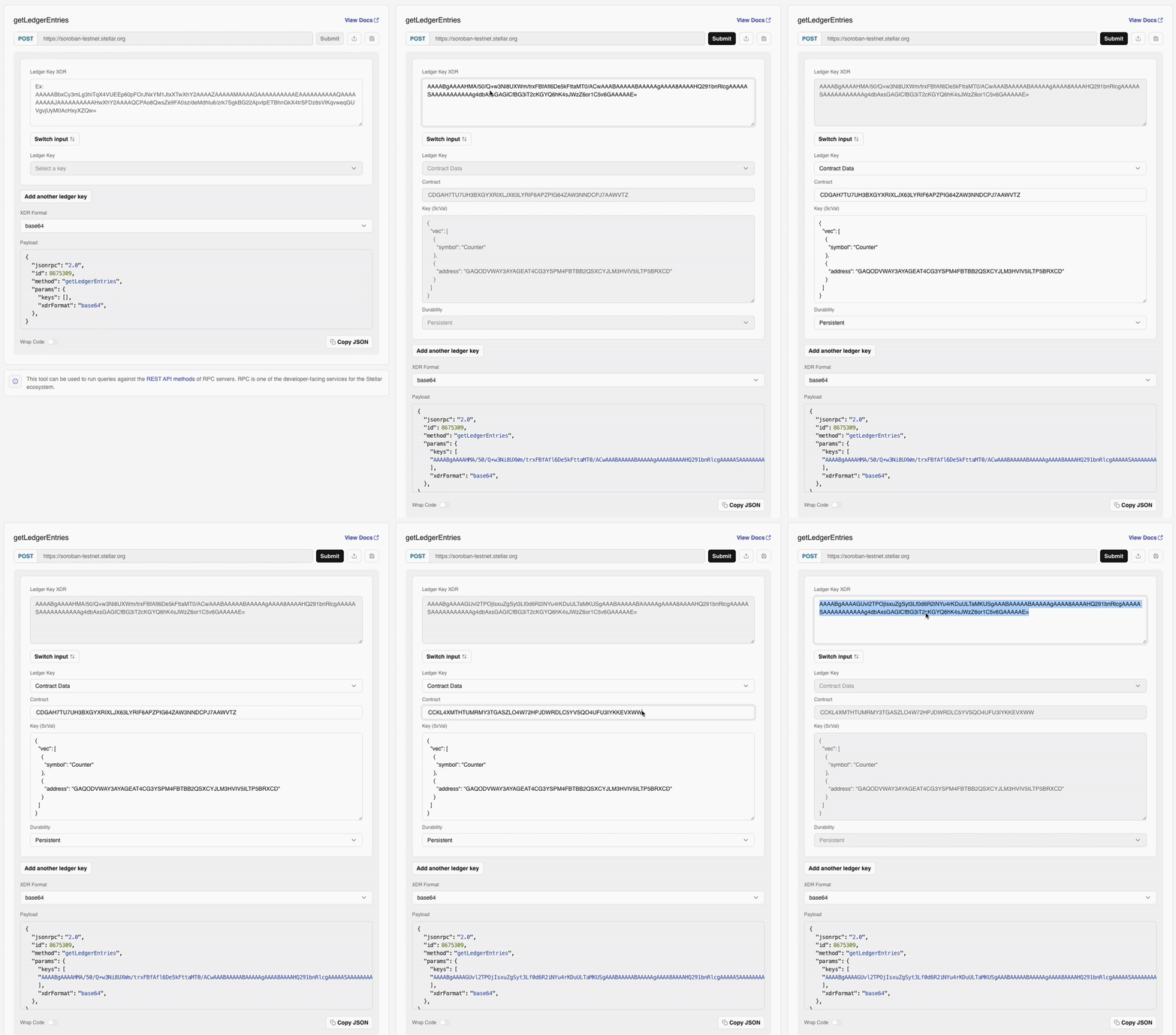
getLedgerEntries for the following XDR string:
AAAABgAAAAGUvl2TPOjIsxuZgSyt3Lf0d6R2iNYu4rKDuULTaMKUSgAAABAAAAABAAAAAgAAAA8AAAAHQmFsYW5jZQAAAAASAAAAAAAAAABdOuyYDwLteYrby3aOykd5c12LYrui/nhbXOgtejCSYAAAAAE=
Try it in the Lab