

Overview
Quickstart provides an easy way to set up a local Stellar network environment. Specifically, Quickstart docker image bundles Stellar Core with Horizon, RPC, Friendbot, and the necessary PostgreSQL databases. Now it is possible to use Stellar Lab as an interface on Quickstart.Prerequisites
Start Quickstart
Quickstart can be started for different networks. In this example, we will start Quickstart fortestnet. Start Quickstart with the Stellar CLI using the following command:
http://localhost:8000. With this information, we can now configure Stellar Lab to use the local network.
Configure Stellar Lab to use Local Horizon and Local RPC
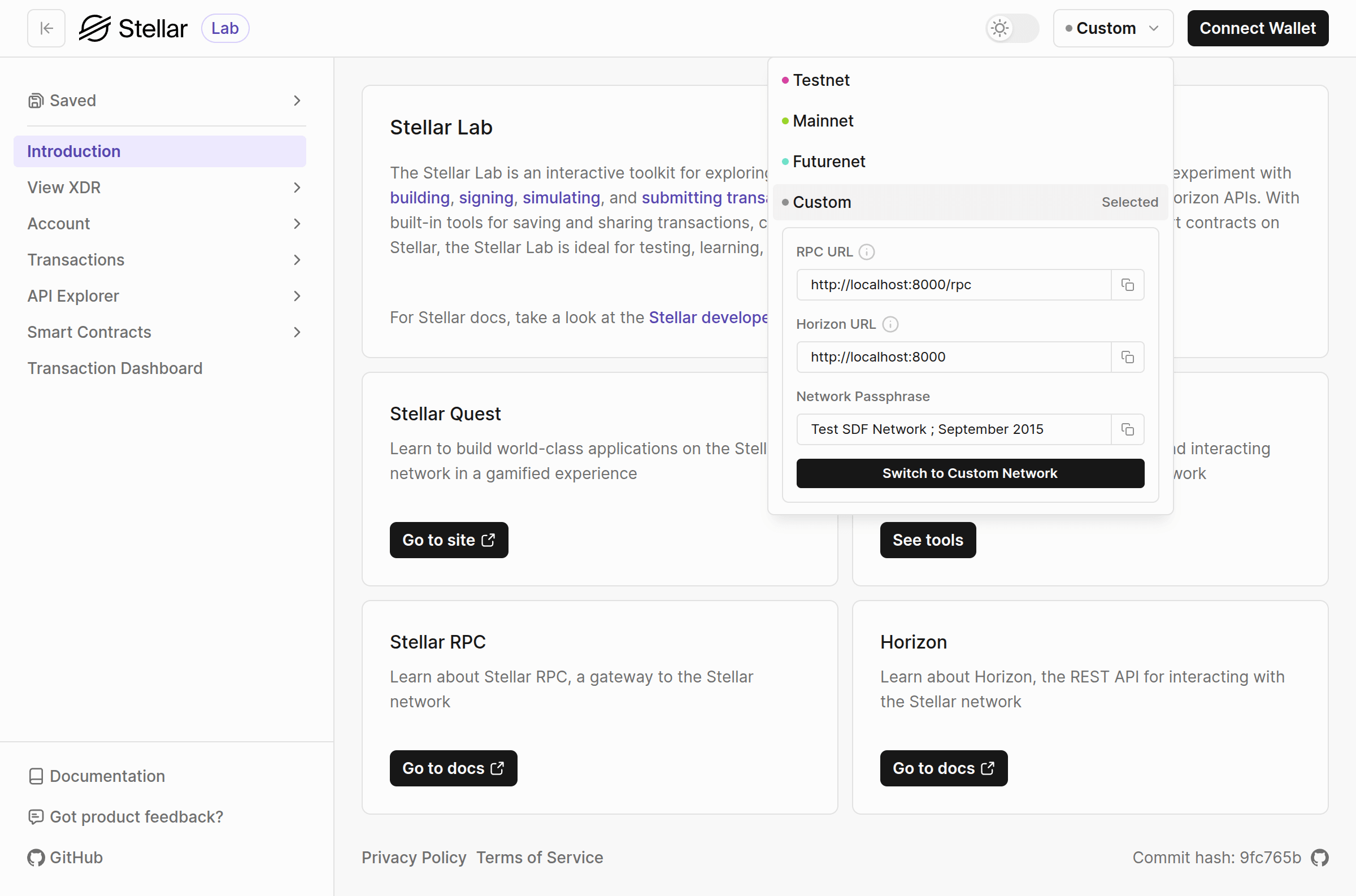
- Open Stellar Lab network selector on the upper right hand corner.
- Select
Customnetwork in the dropdown. - For the RPC URL, input
http://localhost:8000/rpc. - For the Horizon URL, input
http://localhost:8000.. - For the network passphrase, input
Test SDF Network ; September 2015 - Click the button
Switch to Custom Networkand switched to using your Quickstart.